
This application will keep count of hits and errors on an Apache HTTP server and will display both the counts on a single monitoring page. The counts are run-time, that means no more periodic polling on log file after certain interval rather the numbers on the page change as soon as the events occur on the server.
I was never convinced of polling a server after 5 minutes interval or 1 minute interval for checking hits/errors ,I always wanted these reports to be on the fly.
With the available resources and programming languages if we wanted to achieve the same we face several roadblocks, the most dangerous of locking the log file and also loading server with multiple threads.
Node blessed us with a very easy and convenient way of doing this by its Event Driven nature.
Apache HTTP server writes log / entry for each hit on server, to a log file. For my server it is access.log. This can be configured to use different file. Similarly for each error an entry is made in a log file error.log. Even this can be configured to use a different one.
Whenever I open a page , http://localhost/samplesite it counts as a hit on Apache and writes an entry in access.log. Even if I hit http://localhost that also does the same.
Similarly I have another PHP application which throws mysql error . If I open that application on browser by visiting http://localhost/errorApp then at the same time it will be a hit on Apache so access.log will get a new entry at the same time error.log also will get a new entry.
My monitoring page will get updated automatically with correct/updated number of total hits and errors as soon as a hit or error happens. you no need to re-fresh or no need to read/poll the log files periodically.
To avoid periodical polling on log file we should have a mechanism that will automatically trigger event when a file is modified.
fs.watchFile
This is the feature node provides that triggers an event whenever a watched file is changed. We can define what to do during that event in call back methods.
The syntax is “
fs.watchFile('./fileName.txt',callBack)
“
Now whenever ‘fileName.txt’ file will be modified , the method ‘callBack’ will be invoked and executed.
How to update contents on all connected clients/browsers without refreshing?
socket.io
This is another feature that made communication over socket is real easy in Node. With socket IO, our node server will behave as server where as the served HTML pages will be each client and can send and receive communication to and from server through emitter.
So by now I hope the implementation logic has become very simple,
1. Watcher is attached on both the log files. Each call back will read linecount from respective log files and emit updated counts to all clients (i.e. to all who opened the monitoring page).
2. Upon receiving emitted data from Server the JS code on the HTML can update its content accordingly.
Below is my Node server file logWatcher.js
//Modules to load
var fs = require('fs');
var http = require('http');
var url = require('url');
var io = require('socket.io');
//Variables to declare
var accessFile=’/var/log/apache2/access.log’;
var errorFile=’/var/log/apache2/error.log’;
var serverPort=8080;
var count =0;
var countErr=0;
var all=”;
var allError=”;
var mTime=”;
ErrmTime=”;
var line = 0;
var initLine=0;
var errLine = 0;
var initError=0;
var server = http.createServer(function(request, response){
console.log(“New Connection..”);
var path = url.parse(request.url).pathname;
console.log(path);
switch(path){
case ‘/’:
response.writeHead(200, {‘Content-Type’: ‘text/html’});
response.write(“Welcome to Apache Server Monitoring.
Click Here to Access The Monitoring Page“);
break;
case ‘/monitor’:
var data = fs.readFileSync(‘logView.html’,’utf8′)
response.writeHead(200, {“Content-Type”: “text/html”});
response.write(data, “utf8”);
break;
default:
response.writeHead(404);
response.write(‘Gone case’);
break;
}
response.end();
});
server.listen(serverPort);
console.log(“Server Started..”);
console.log(“reading starts..”);
var rstream = fs.createReadStream(accessFile);
rstream.on(‘data’, function (chunk) {
line+= chunk.toString().split(“\n”).length;
})
.on(‘end’, function () { // done
initLine=line;
});
console.log(“Read ends..”);
server.listen(serverPort);
console.log(“Server Started..”);
console.log(“reading starts..”);
var rstream = fs.createReadStream(errorFile);
rstream.on(‘data’, function (chunk) {
errLine+= chunk.toString().split(“\n”).length;
})
.on(‘end’, function () { // done
initError=errLine;
});
console.log(“Read ends..”);
var socket=io.listen(server); //attach socket on server
fs.watchFile(accessFile,callBackAccess);
fs.watchFile(errorFile,callBackError);
//Attach watcher on files on connection to display current status on new connections
socket.on(‘connection’, function(socket){
console.log(‘….new connection..’);
socket.emit(‘Update’, {‘message’: all,’ErrMessage’:allError,’Count’:count,’Err’:countErr});
});
////Commented code to tame fs.watchFile with readStream
function callBackAccess(cur,prev) {
console.log(‘hit..’);
console.log(“init line..”+initLine);
line=0;
var rstream = fs.createReadStream(accessFile);
rstream.on(‘data’, function (chunk) {
line+= chunk.toString().split(“\n”).length;
})
.on(‘end’, function () { // done
console.log(“line…:”+line);
all=all+’
‘+cur.mtime;
count=line-initLine;
socket.emit(‘Update’, {‘message’: all,’ErrMessage’:allError,’Count’:count,’Err’:countErr});
});
};
function callBackError(cur,prev) {
console.log(“in error..”);
errLine=0;
var rstream = fs.createReadStream(errorFile);
rstream.on(‘data’, function (chunk) {
errLine+= chunk.toString().split(“\n”).length;
})
.on(‘end’, function () { // done
countErr=errLine-initError;
});
allError=allError+’
‘+cur.mtime;
socket.emit(‘Update’, {‘message’: all,’ErrMessage’:allError,’Count’:count,’Err’:countErr});
//ErrmTime=cur.mtime;
};
Below is source code for the logView.html
Theis page listens on the same socket for specific jason message with key "Update"
Upon recieving it updates the content of both the div tag with other details from that json message. At the same time it updates the title.
var socket = io.connect();
socket.on(‘Update’, function(data){
document.getElementById(“msg”).innerHTML=data.message;
document.getElementById(“err”).innerHTML=data.ErrMessage;
document.title=data.Count+’:’+data.Err;
document.getElementById(“count”).innerHTML=”Hit Count:”+data.Count;
document.getElementById(“ErrCount”).innerHTML=”Error Count:”+data.Err;
});
Github repository for the complete and updated source codes :https://github.com/anisoftcorporation/logWatcher
Below are few screen shots of my logWatcher in action
 |
|
| Starting the node application |
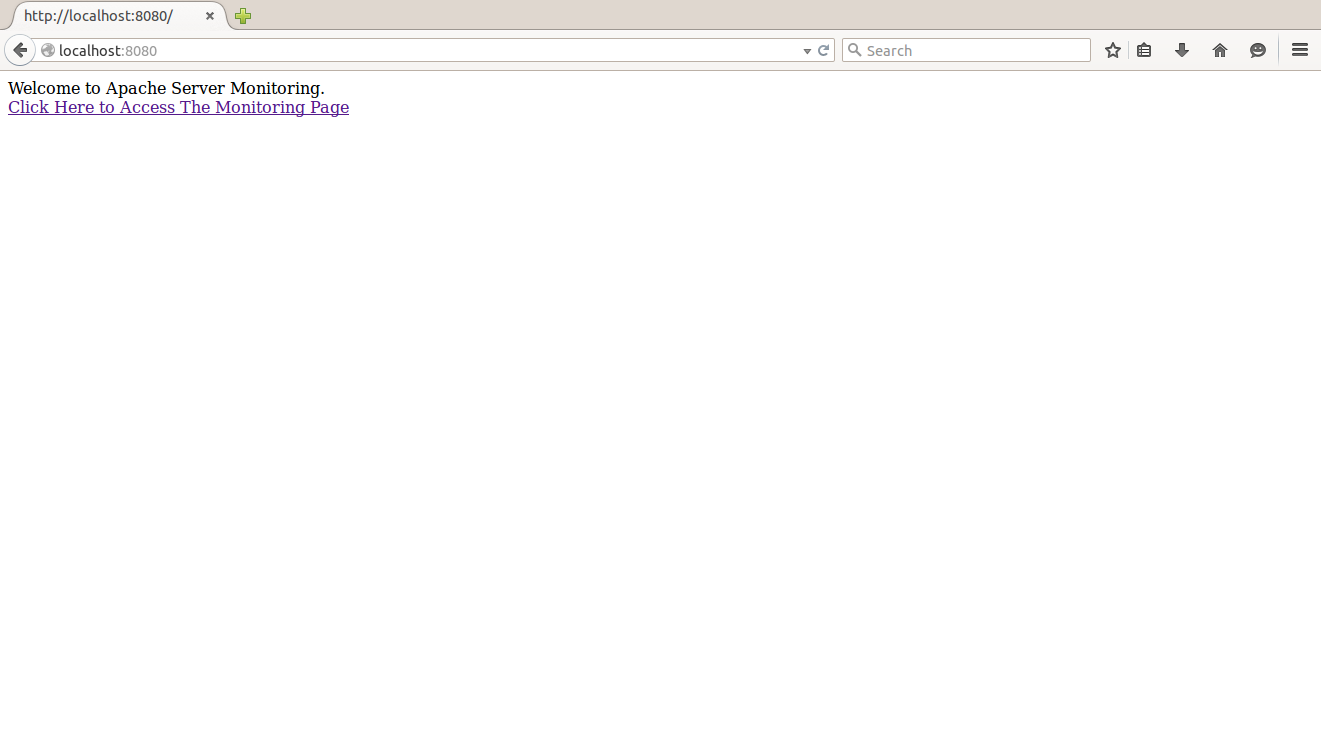 |
| Access the App |
 |
||
| Monitoring Page at Initial State |
 |
|
| Hiting Apache page. Note the hit count on title of monitoring page changes (in tab) |
 |
| Monitoring page after 1st hit on Apache |
 |
| Second Apache hit, another site on localhost , note hit count in other tab changed on the fly |
 |
| Accessing a site which causes error. Note the error count on the other tab got increased on the fly |
 |
| Opened another monitoring page and that new page also shows same information. See the first tab was the first monitoring page we opened and using so far |
 |
| After the node server is restarted all connected monitoring page gets refreshed automatically. The users never need to do refresh |


